

Take RollXO With You: 4,000+ Games, Live Sport and AUD Cashier Access
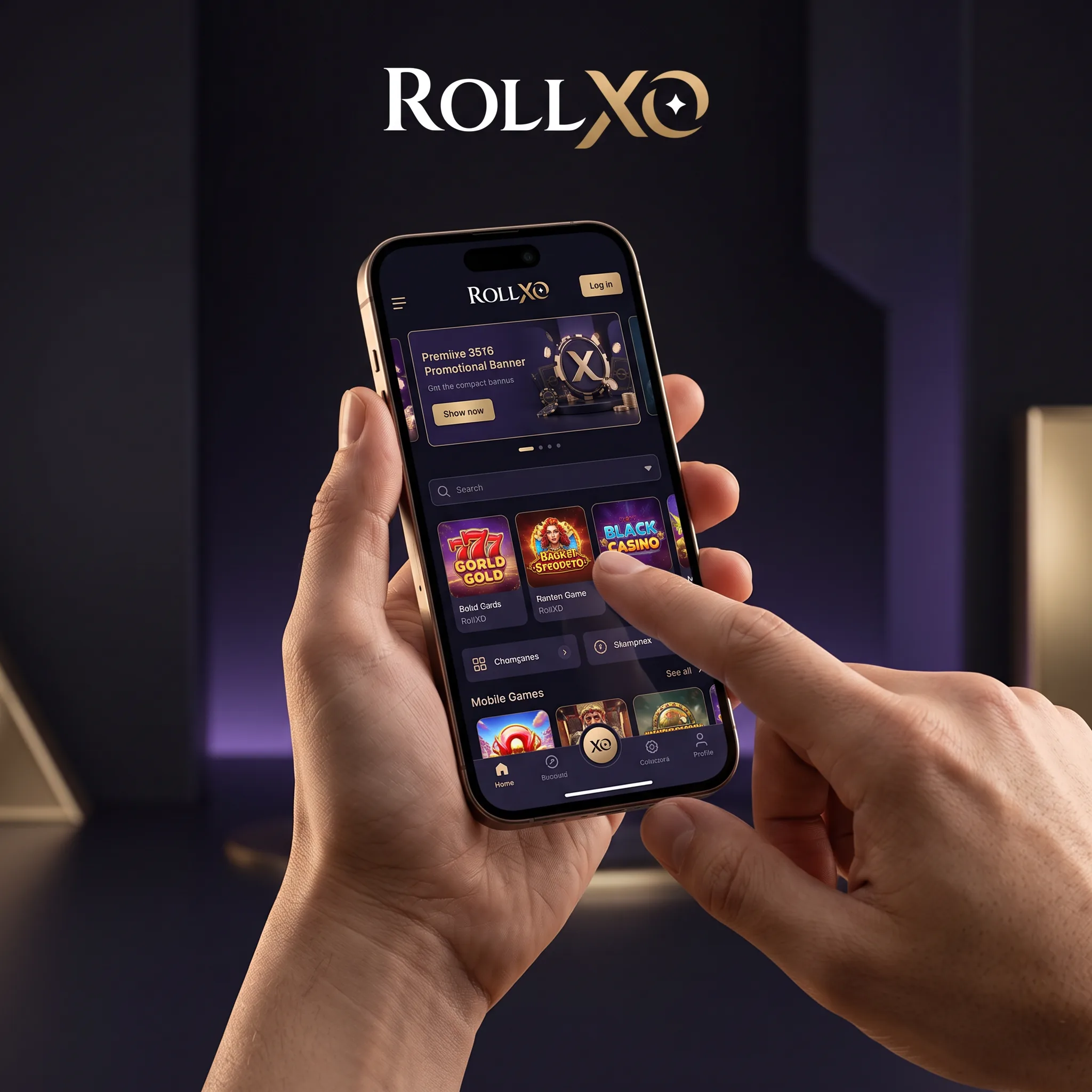
We built the RollXO mobile experience to carry the full account, not a stripped-down game list. One login opens 4,000+ casino titles, live tables, instant games, sports betting, promotions, tournaments and the AUD cashier. Android players can install the official APK from our install page; iPhone players can use the mobile site and save it to the Home Screen for app-style access. Your balance, active bonuses, VIP progress and verification status stay connected across phone and desktop. Push alerts can flag promotions and tournament activity, while the compact navigation keeps Pokies, Live Casino, Sports and Payments close to the thumb. The install page records more than 1 million downloads, a 4.9 rating and 29,802 reviews. Use only our official route, check the file prompt before installation and keep your device lock active.
Choose the mobile route that matches your device
| Device | Recommended route | What it opens |
|---|---|---|
| Android | Official RollXO APK | Casino, sport, cashier, rewards and alerts |
| iPhone or iPad | Safari shortcut | Full mobile site from the Home Screen |
| Any modern phone | Browser login | No installation; account opens in the browser |
The browser route is the quickest way to test the layout. The APK gives Android users a dedicated launch icon and native installation flow. An iPhone shortcut creates a Home Screen icon without moving your account into a separate system.
Install the RollXO APK on Android
- Open the RollXO install page in Chrome on your Android phone.
- Select the Android download button and confirm the official APK file.
- If Android asks for permission, allow installs from that browser for this download only.
- Open the completed file, review the app name and install it.
- Launch RollXO, sign in with your existing email and password, then confirm AUD in the cashier.
- Return to Android settings and remove the temporary browser-install permission.
Do not rename the APK or transfer it through a messaging group. A fresh file from the official install page is the cleanest route. Android may display a security notice because the installation begins in a browser rather than a store; check the source before proceeding.
Put RollXO on an iPhone Home Screen
Open RollXO in Safari, sign in, tap the Share icon and choose Add to Home Screen. Confirm the name and icon, then launch the shortcut like any other app. The shortcut uses the mobile web account, so deposits, bonus progress, saved games and sport selections remain current without a second registration.
What fits inside the mobile lobby
The menu separates Hot Games, Pokies, Live Casino, Bonus Buy, Jackpot, Table Games, Instant Win and Lucky Box. Named mobile-friendly releases include Book of Cats, Elvis Frog in Vegas, Green Chilli, Sun of Egypt 3, Lady Wolf Moon Megaways, Hit the Gold! Hold and Win, Aviator, Plinko, JetX and Minesweeper. Providers include Pragmatic Play, BGaming, Evolution, Play’n GO, NetEnt, Hacksaw Gaming, Nolimit City, Push Gaming, Relax Gaming and Red Tiger.
Portrait mode is practical for pokies and instant games. Landscape gives live tables and sportsbook market lists more room. Before using mobile data, remember that live video consumes more bandwidth than a standard slot round.
Deposits, bonuses and withdrawals from your phone
AUD routes shown in the cashier include Visa, Mastercard, Neosurf, eZeeWallet, MiFinity, CashToCode, SkinsBack, Paysafecard, Neteller and Skrill. Several routes start at A$30; Skrill, Neteller and Paysafecard start at A$45. Crypto support covers BTC, BCH, LTC, ETH, DOGE, USDT, ADA, TRX and BNB.
Open Promotions before depositing. The welcome sequence uses 1XO, 2XO, 3XO and 4XO, with a combined ceiling of A$22,500 plus up to 350 free spins. The CRYPTO code adds 5% to a qualifying digital-currency deposit. A withdrawal request enters our 0–24-hour internal review before provider processing, and KYC can be completed from the account upload panel.
Secure mobile play before the first deposit
Use a unique password, protect the connected email and enable the phone’s screen lock. Avoid saving credentials in a shared browser. Public Wi-Fi can expose account traffic, so use a trusted network for deposits, document uploads and withdrawals. If a device is lost, reset the password from another device and contact [email protected] or 24/7 live chat.
FAQ
Yes. Open the official install page, download the APK, approve the browser installation prompt and remove that temporary permission after installation.
Open the site in Safari, tap Share, choose Add to Home Screen and confirm the shortcut.
Yes. Select AUD during registration and check the cashier currency before your first payment.
The mobile lobby covers pokies, live casino, table games, jackpots, Bonus Buy and instant titles from the main provider catalogue.
Yes. Open Promotions first, select the correct deposit stage and enter 1XO, 2XO, 3XO or 4XO before payment.
Yes. The mobile menu includes pre-match, live, schedule, results and esports views.
Open the verification panel and upload clear identity, address or payment-ownership files when requested.